See every license under every contact, whether MFA is enabled or enforced, and NCE expirations across all clients. Give clients a portal to audit their own licenses.
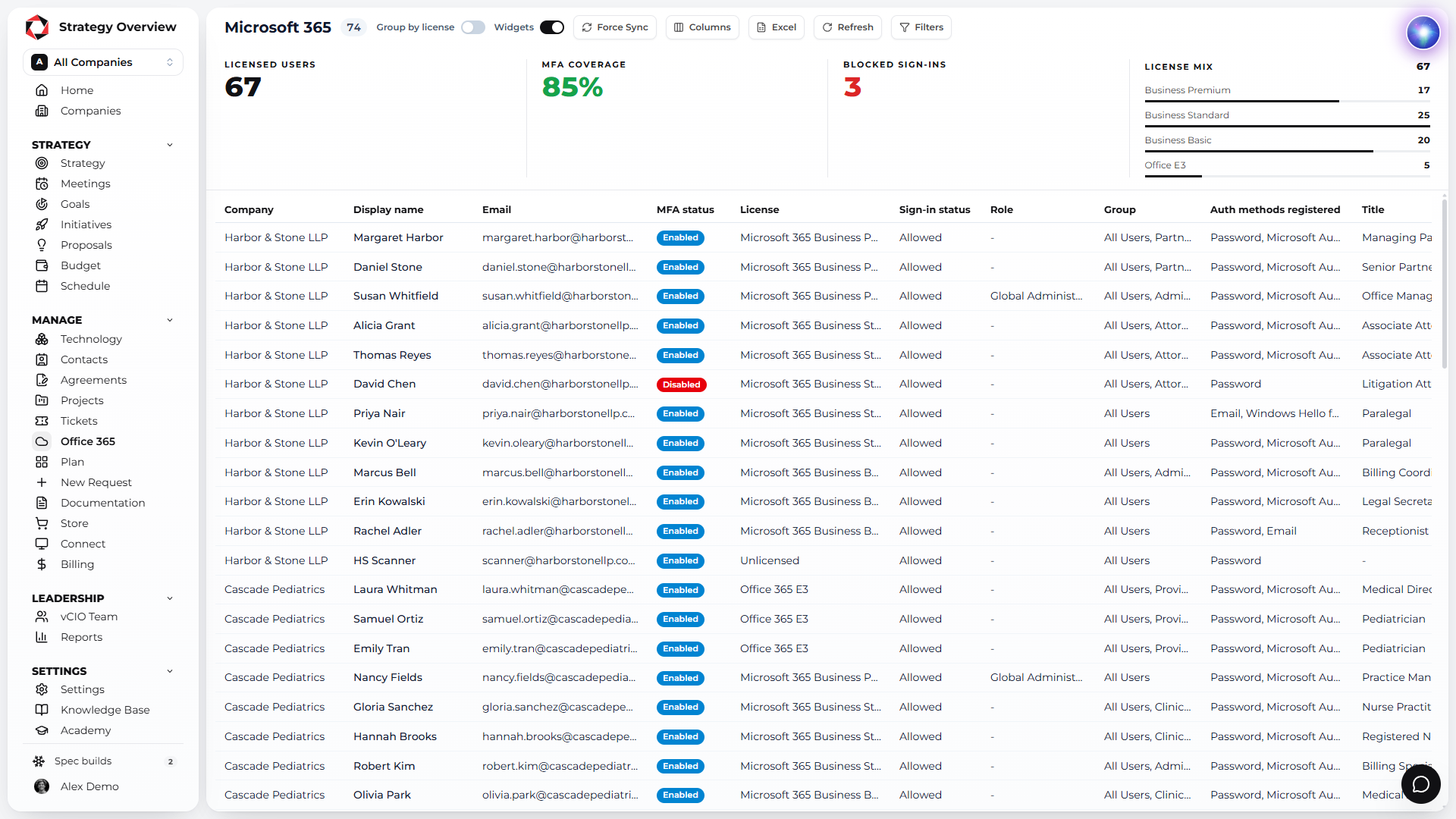
License sprawl and unenforced MFA are the two things clients never see until the invoice or the incident. This module puts both on the QBR, with the contact’s name next to each one.
REPORT PER CLIENT, AND ONE ACROSS ALL
OF USERS WITH MFA STATUS SHOWN
NCE RENEWALS MISSED
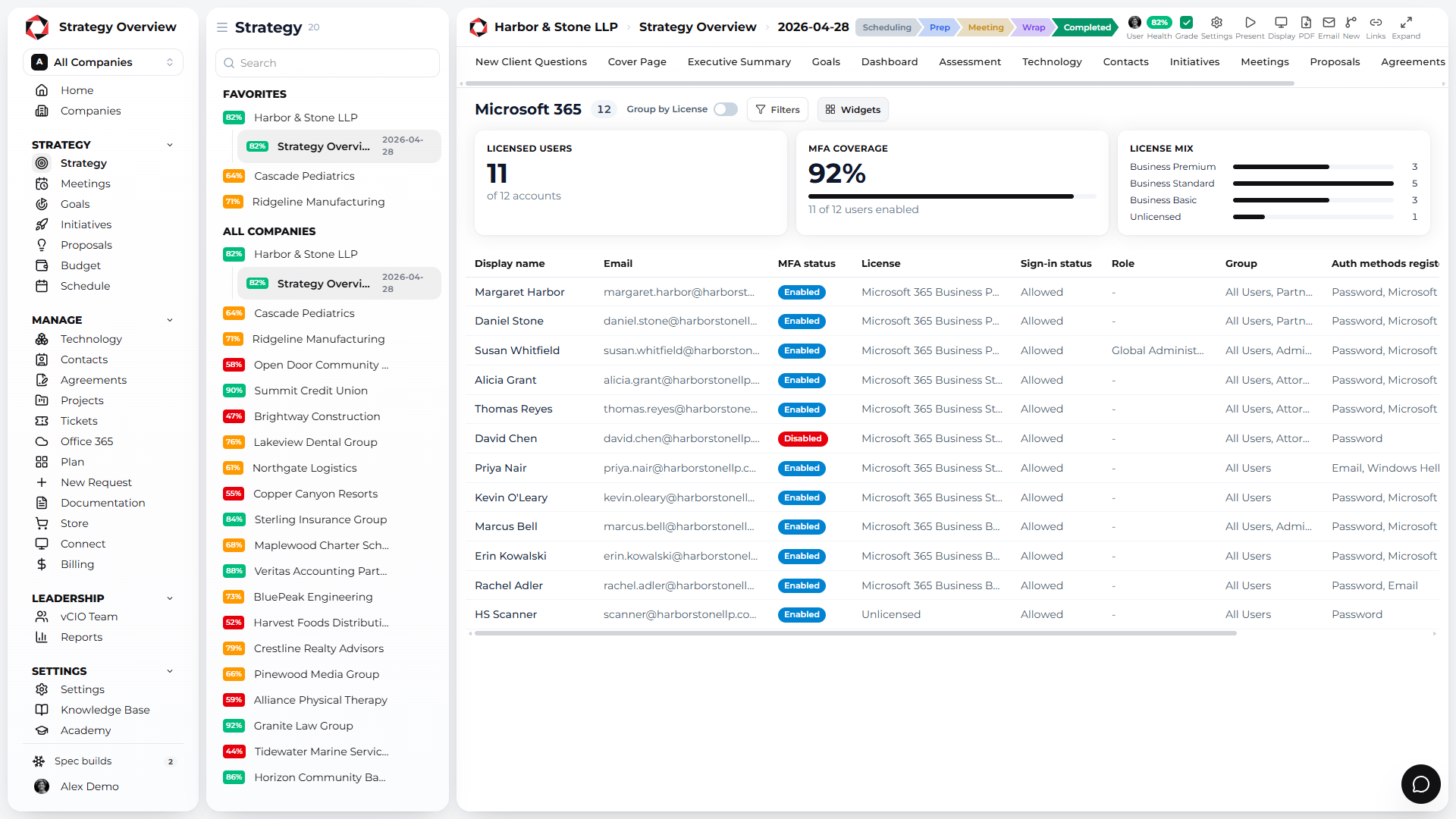
Licensed users, MFA coverage and the license mix at the top, then every user with license, MFA status and sign-in status. Review it in the QBR, and let clients audit it in their portal.
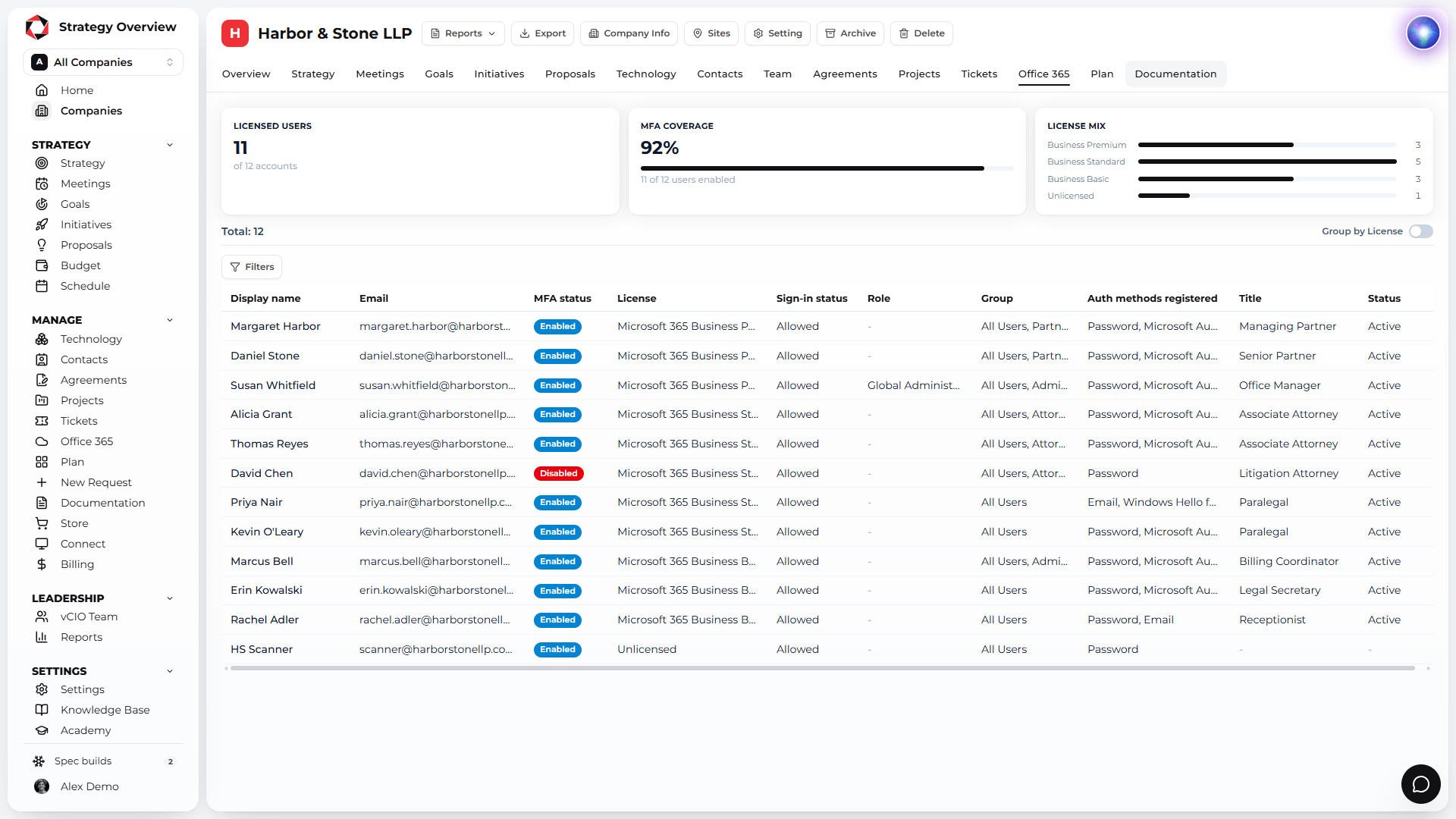
Licensed users, MFA coverage, blocked sign-ins and license mix for every client at once, so you manage NCE expirations before they auto-renew.
Every user marked enabled, enforced or disabled, so the security conversation in the QBR is about specific people.
Renewal dates for every client in one place, so nothing renews for a year by accident.
Which license every user has, plus the accounts that are unlicensed or unused, so the client can trim spend before the renewal.
The Microsoft 365 report sits on the same strategy report as the assessment, initiatives and budget. Security gaps found here become initiatives and budget lines in one step.
Reactive support is a commodity. What clients pay a premium for is a plan. Strategy Overview is the platform built to deliver that plan every quarter, for every client, from one record.
Strategy Overview started inside an MSP. Assessment, initiatives, budget and report are one client record, so the QBR is assembled, not rebuilt.
Every vCIO, account manager and engineer gets a seat. You pay for the companies you manage, and the per client rate drops as you grow.
Free for 3 companies, golden template included. No long term contract on any plan.
Ask about technology, scopes of work and QBR best practice, and let Arya help fill out the assessment. Plus an open API and an MCP server.
ConnectWise, Autotask, Halo, Kaseya BMS, Syncro, ServiceNow, NinjaOne, Datto RMM, Hudu, IT Glue, Microsoft 365 and more. Nothing to re-key.
IT Nation PitchIT winner, BetterTracker Category Leader and Fastest Growing.
Strategy Overview runs on Microsoft Azure in the United States and in Ireland. Pick the datacenter when you register and every client you add lives there.

Microsoft Azure datacenters in the US for North American MSPs. Client data stays in country.

Microsoft Azure datacenters in Ireland for MSPs in the UK and the EU. Data stays inside the EU.
Connect your existing AI and automations with our API and a first-class MCP server to take your IT leadership into the future.
Real reviews from MSPs running their vCIO process on Strategy Overview.
See the license and MFA report for a real tenant in a 30 minute demo.