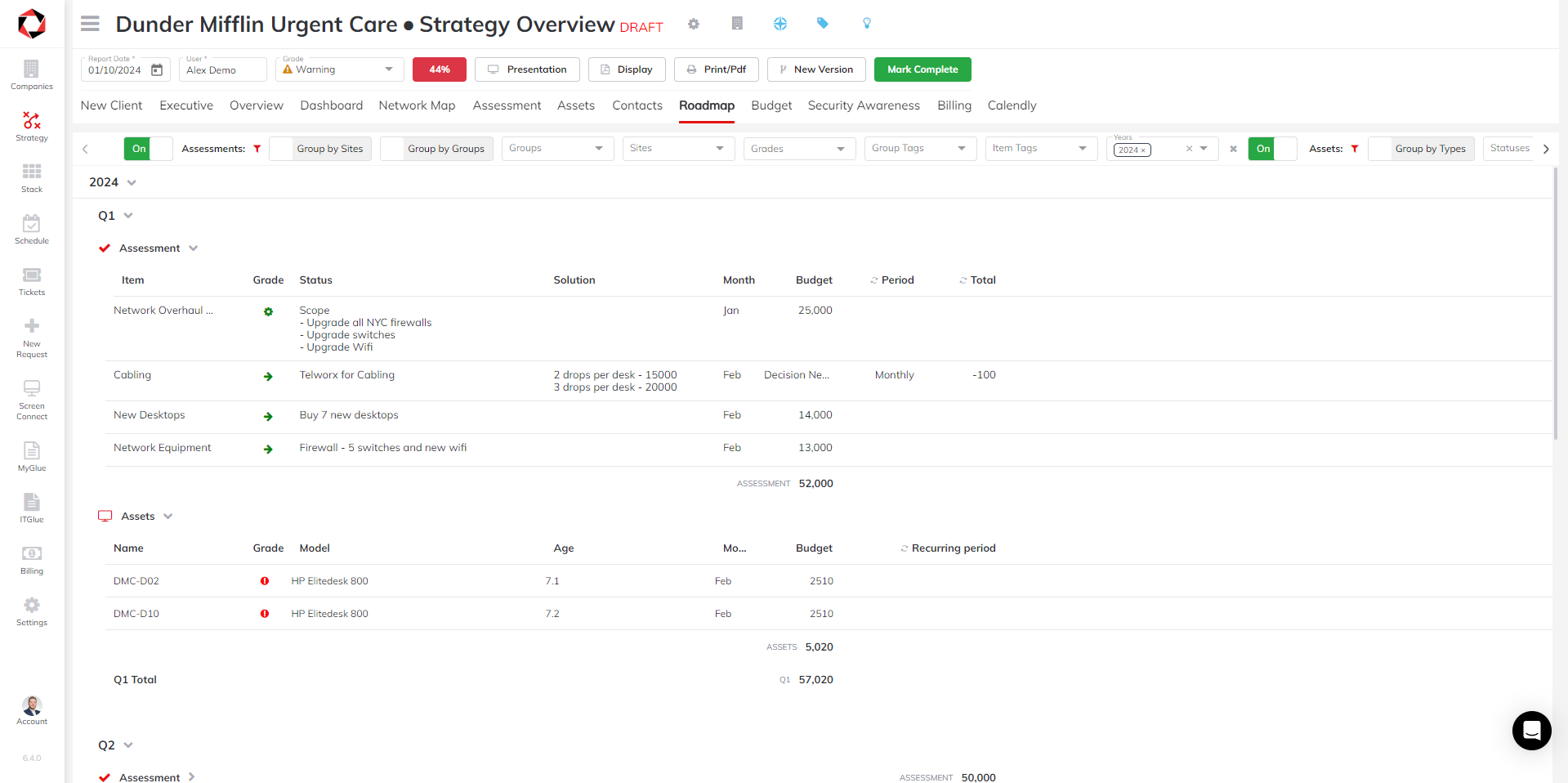
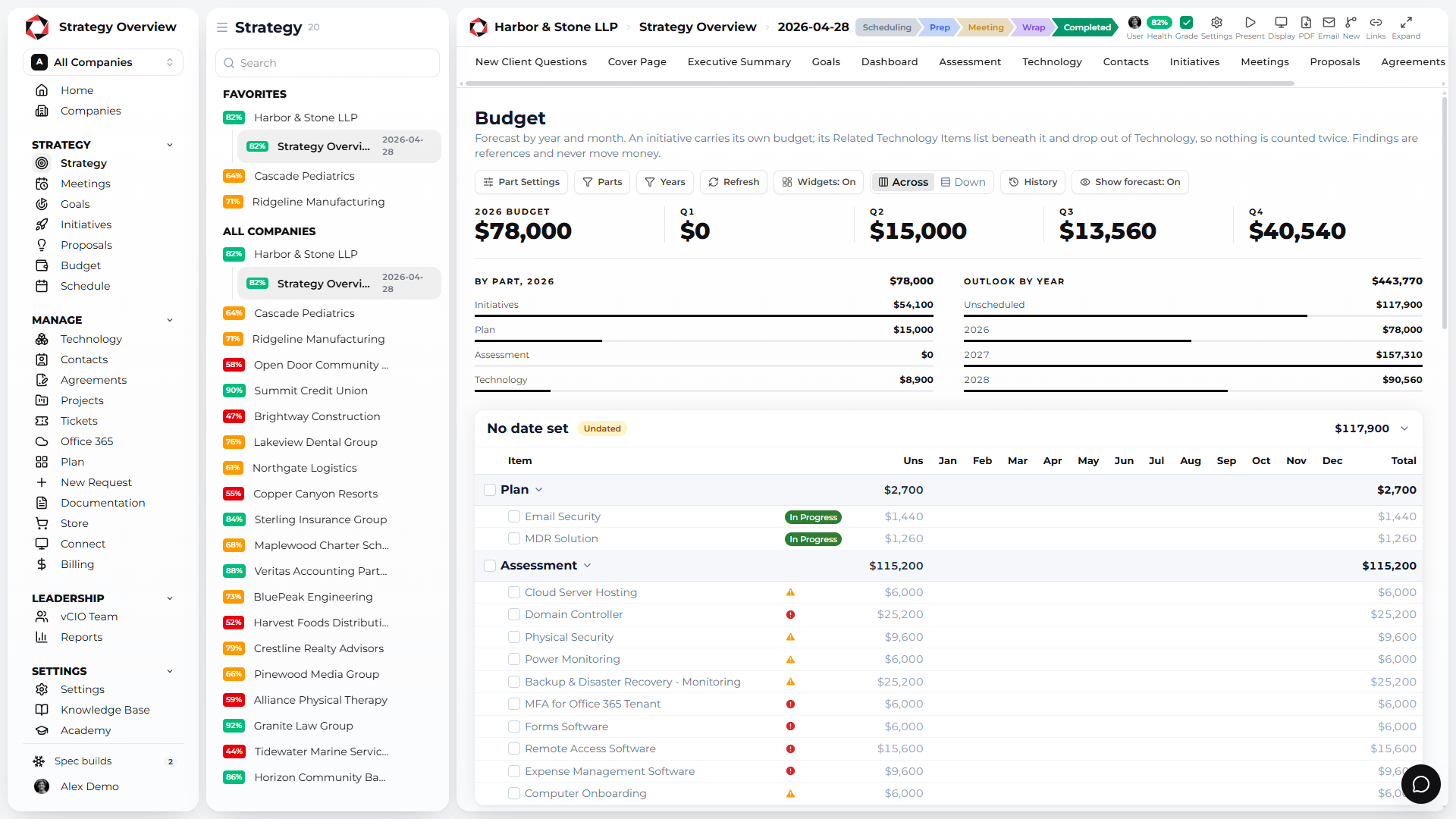
A clean list of every computer and server, graded and budgeted, with purchase date, warranty date and manufacturer updated automatically for Dell, HP, HPE, Lenovo, Apple, Acer and Asus and synced back to your PSA.
Know the age of every asset before the client asks.
Aging hardware is the most predictable cost in IT and the one most MSPs still discover by surprise. Strategy Overview keeps ages, warranties and refresh budgets current without anyone typing a date.
7
MANUFACTURERS UPDATED AUTOMATICALLY
0
PURCHASE AND WARRANTY DATES TYPED BY HAND
1
BUDGET FOR ASSETS AND PROJECTS TOGETHER
One clean list of computers and servers
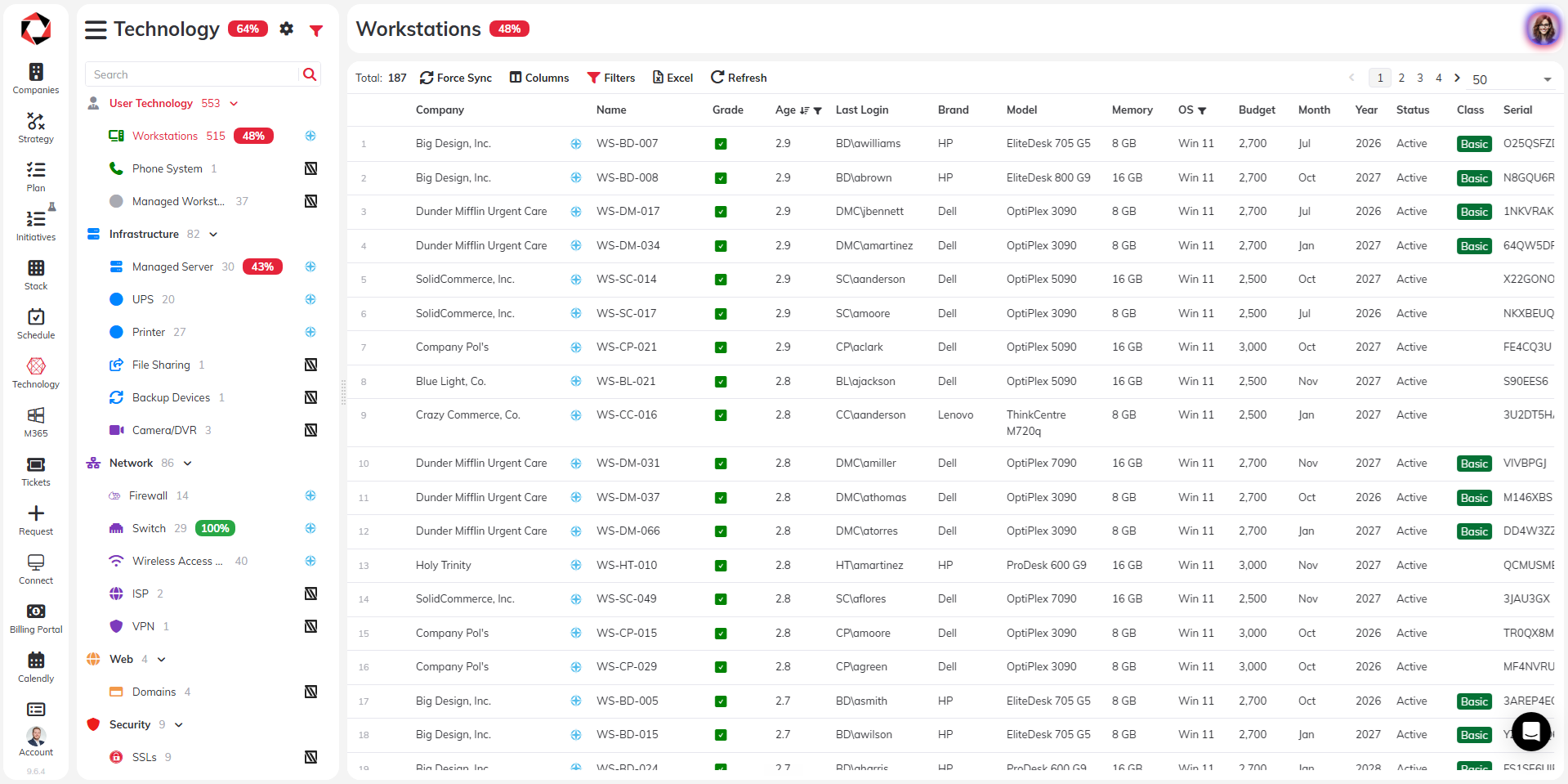
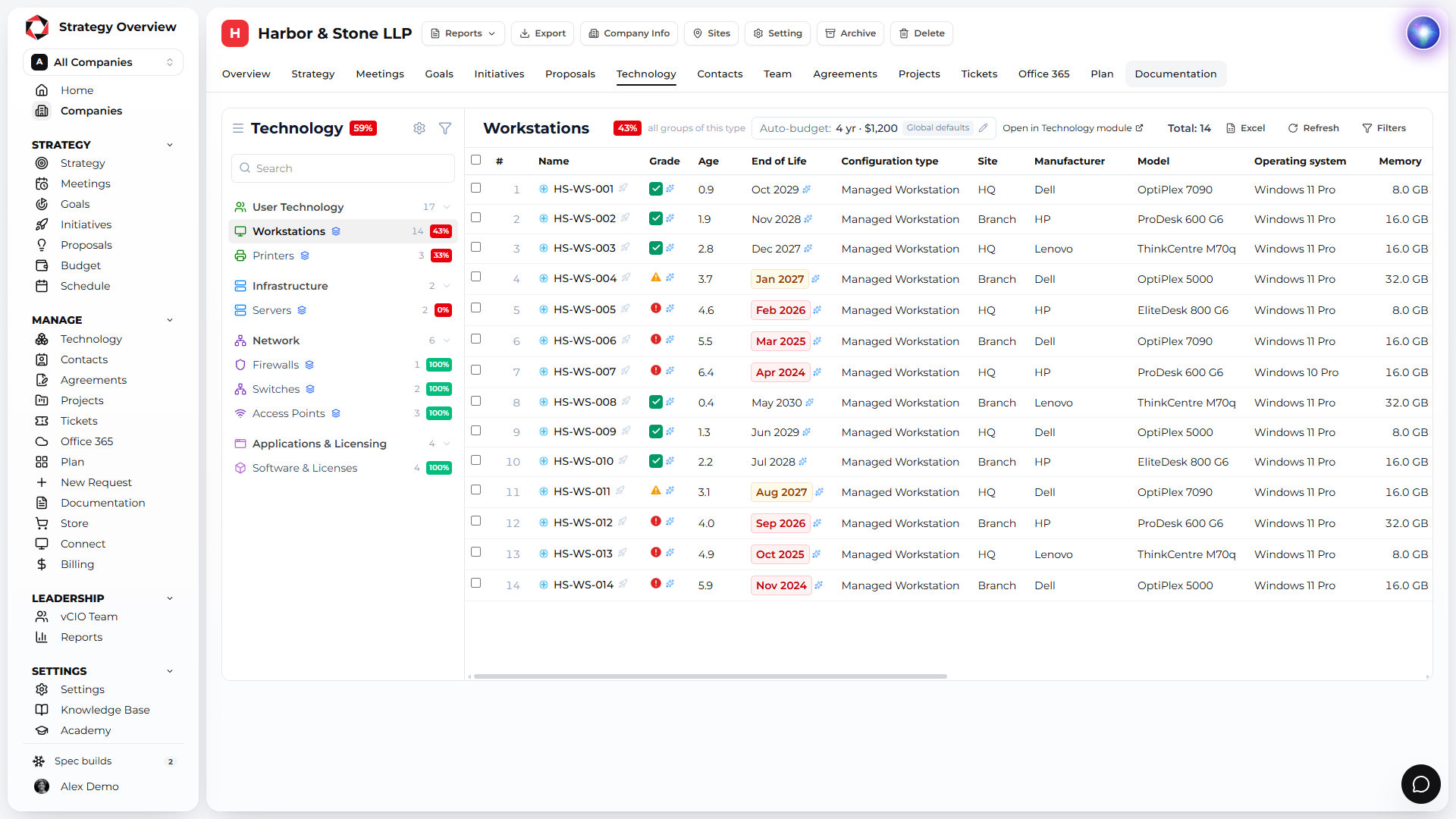
Every workstation and server with age, grade, end of life, budget and model. Filter by client, grade in bulk and add the replacements to the roadmap from the same screen.
Age, grade and end of life for every device
Grade and budget in bulk
Replacements go straight to the roadmap
Warranty dates update automatically
Strategy Overview looks up the purchase date, warranty date and manufacturer for every supported device, then writes them back to your PSA. Your documentation gets better without anyone touching it.
Dell, HP, HPE, Lenovo, Apple, Acer and Asus
Purchase date, warranty date and manufacturer
Written back to your PSA
Replacement costs on the roadmap
Every graded asset lands on the roadmap in the quarter it should be replaced, next to the initiatives from the assessment. The client sees one plan, not two.
The refresh budget, calculated for you
Asset replacements roll into the budget with everything else, by quarter and by year, so the client approves a number instead of reacting to a surprise.
From asset list to approved budget
Sync
Devices come in from your RMM and PSA. Warranty, purchase date and manufacturer are looked up and written back.
Grade
Grade devices in bulk against your refresh standard. Red items carry a risk, a solution and a cost.
Budget
Replacements land on the roadmap and in the budget, and the client sees both in the portal.
Why Strategy Overview?
Reactive support is a commodity. What clients pay a premium for is a plan. Strategy Overview is the platform built to deliver that plan every quarter, for every client, from one record.
Built for the QBR, by MSP operators
Strategy Overview started inside an MSP. Assessment, initiatives, budget and report are one client record, so the QBR is assembled, not rebuilt.
Unlimited users, priced per client
Every vCIO, account manager and engineer gets a seat. You pay for the companies you manage, and the per client rate drops as you grow.
Month to month, free to start
Free for 3 companies, golden template included. No long term contract on any plan.
Arya, the world's first vCIO agent
Ask about technology, scopes of work and QBR best practice, and let Arya help fill out the assessment. Plus an open API and an MCP server.
Connected to the stack you already run
ConnectWise, Autotask, Halo, Kaseya BMS, Syncro, ServiceNow, NinjaOne, Datto RMM, Hudu, IT Glue, Microsoft 365 and more. Nothing to re-key.
Recognized by the MSP community
IT Nation PitchIT winner, G2 Category Leader and Fastest Growing. Datacenters in the United States and Ireland.
Strategy Overview runs on Microsoft Azure in the United States and in Ireland. Pick the datacenter when you register and every client you add lives there.
United States
Microsoft Azure datacenters in the US for North American MSPs. Client data stays in country.
Low latency for US and Canadian clients
Azure security and uptime
Selected when you create your account
Ireland
Microsoft Azure datacenters in Ireland for MSPs in the UK and the EU. Data stays inside the EU.