The meeting is where the vCIO earns the relationship. Most of the week before it disappears into screenshots and slides. Strategy Overview assembles the assessment, initiatives, budget and report from live data, so your vCIO spends the time on the conversation.
90%
LESS PREP TIME
100+
POINTS GRADED PER CLIENT
4×
MORE QBRS DELIVERED
The Gold Standard for MSP Assessments
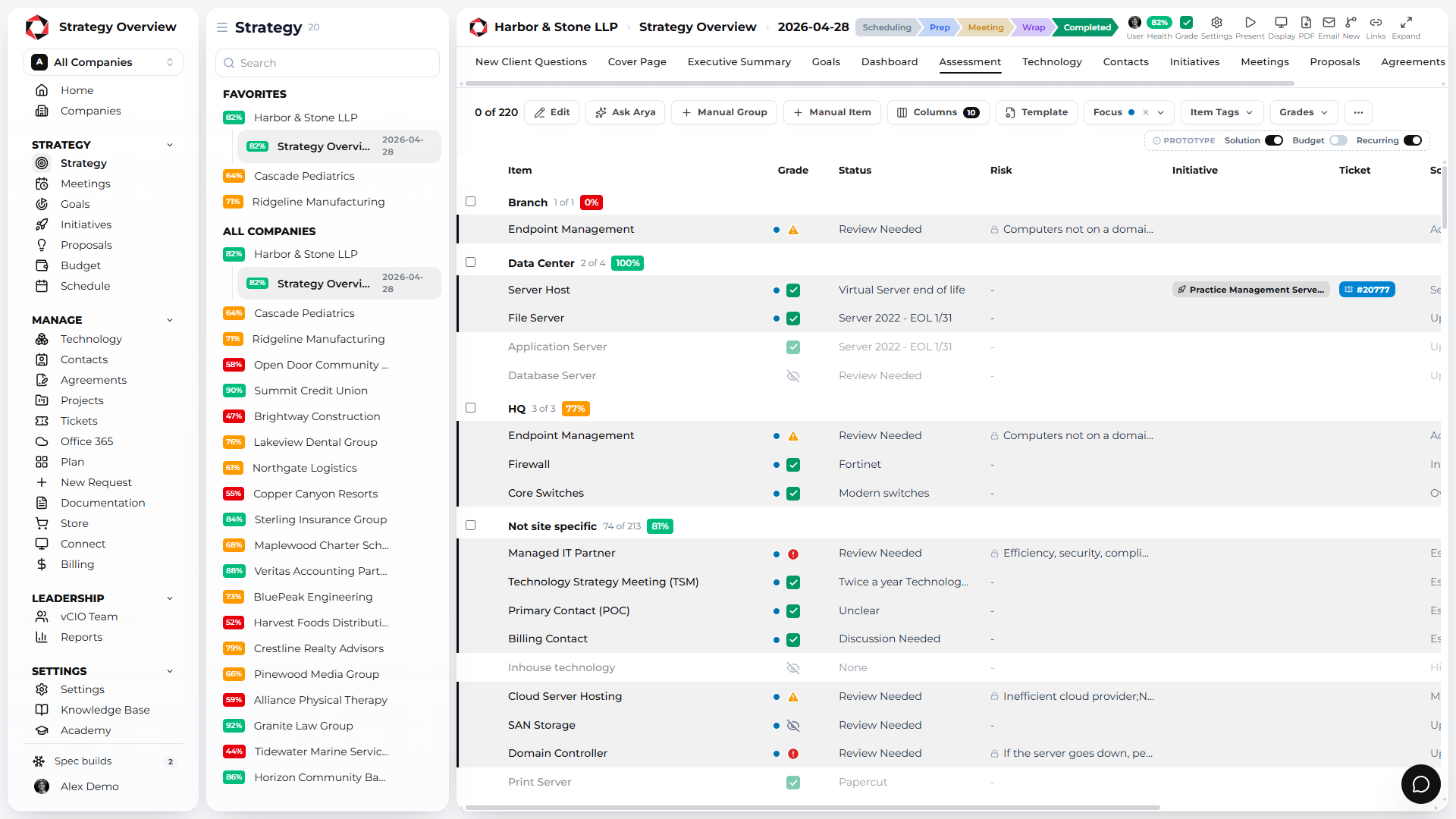
Grade the stack on 100+ points. Score every client’s technology against your standard of health. Every red item documents a risk, a solution and a cost, so the client sees why the project matters.
Health, security and efficiency scores per client
Your standards, your grading, across every client
Every red item carries a risk, a solution and a cost
Standardize your stack across every client
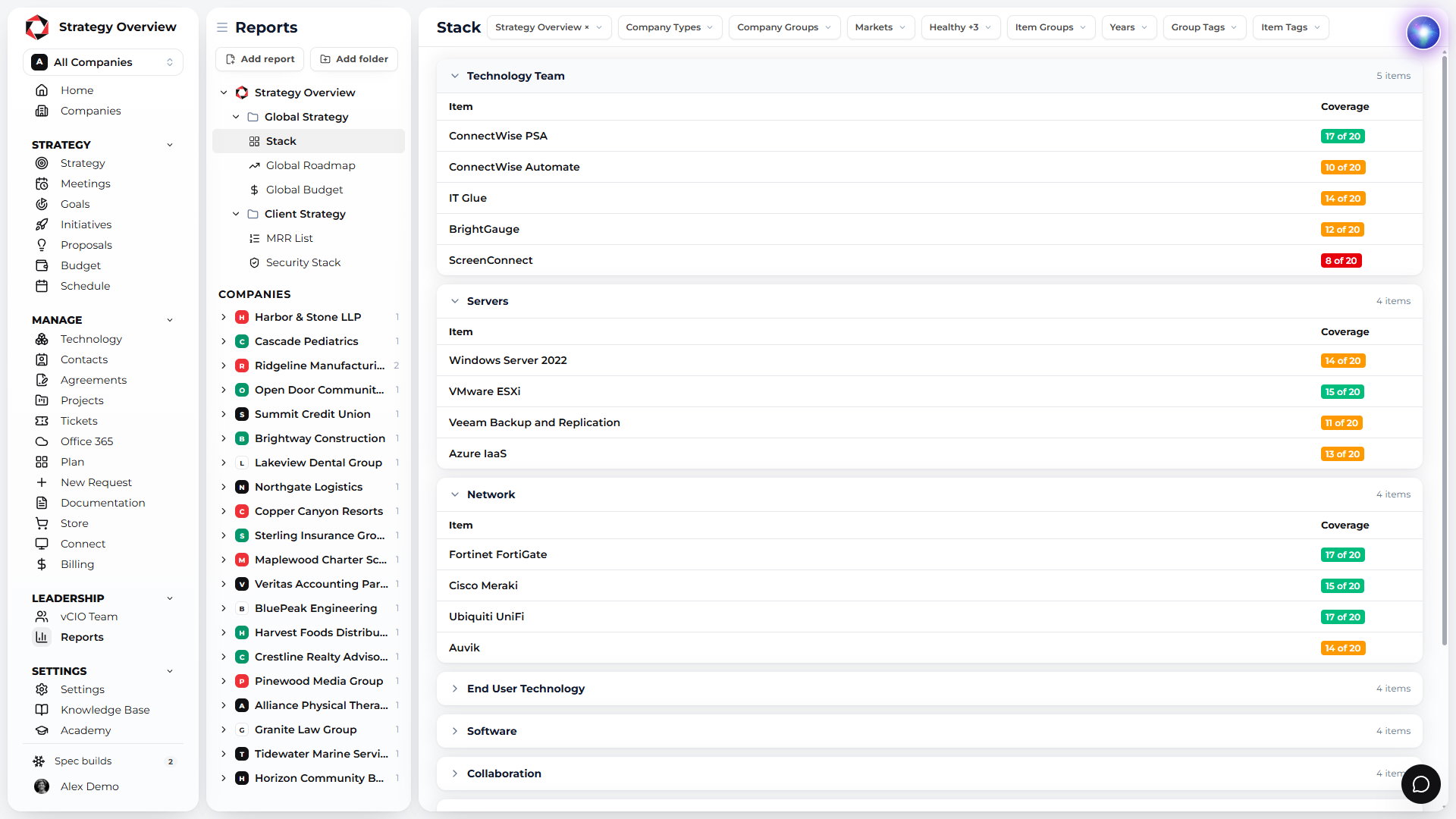
Define your standard for every item and see which clients run it. Engineers work on one stack, clients get one experience, and you see who is behind at a glance.
Create initiatives from the assessment
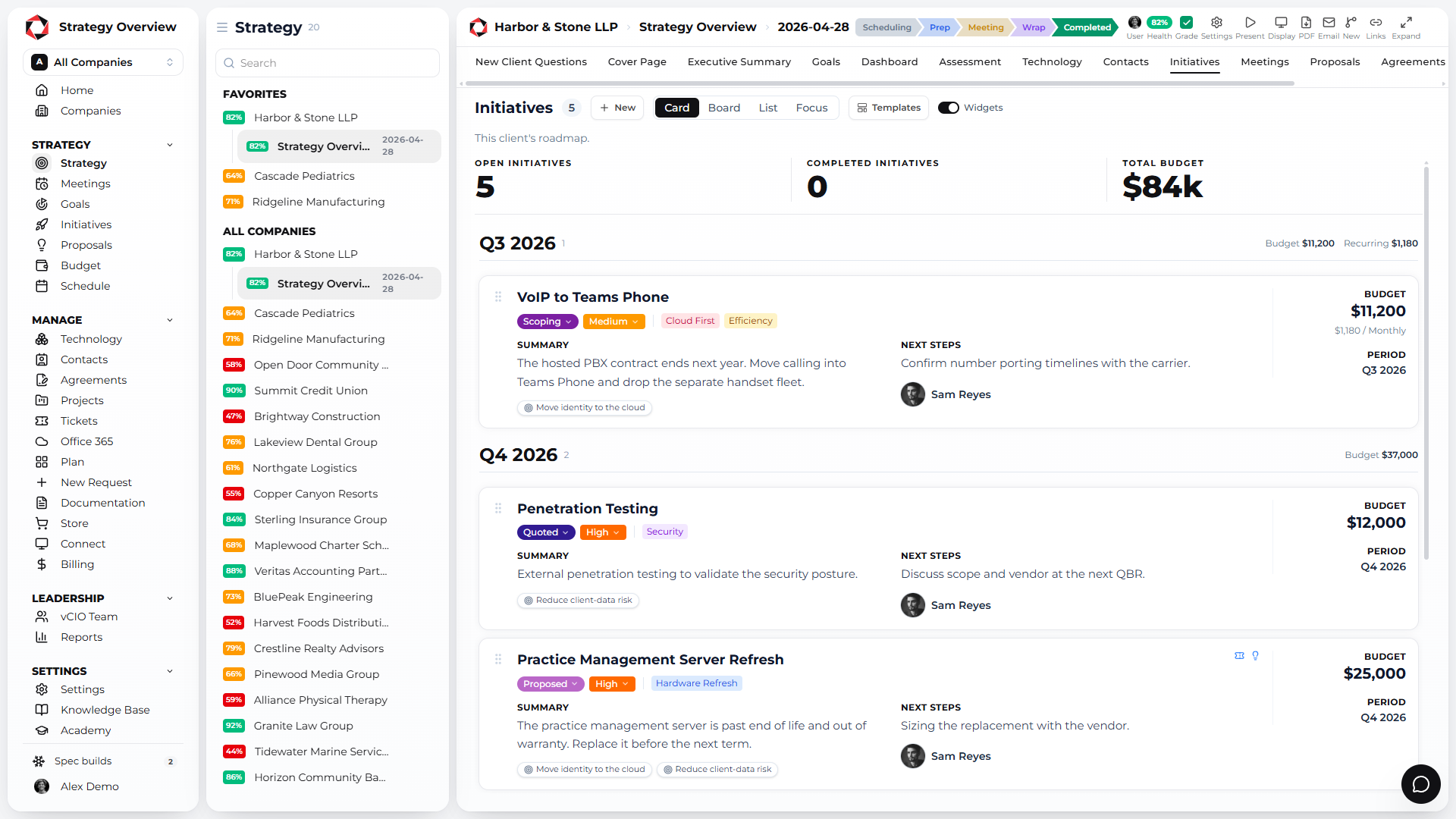
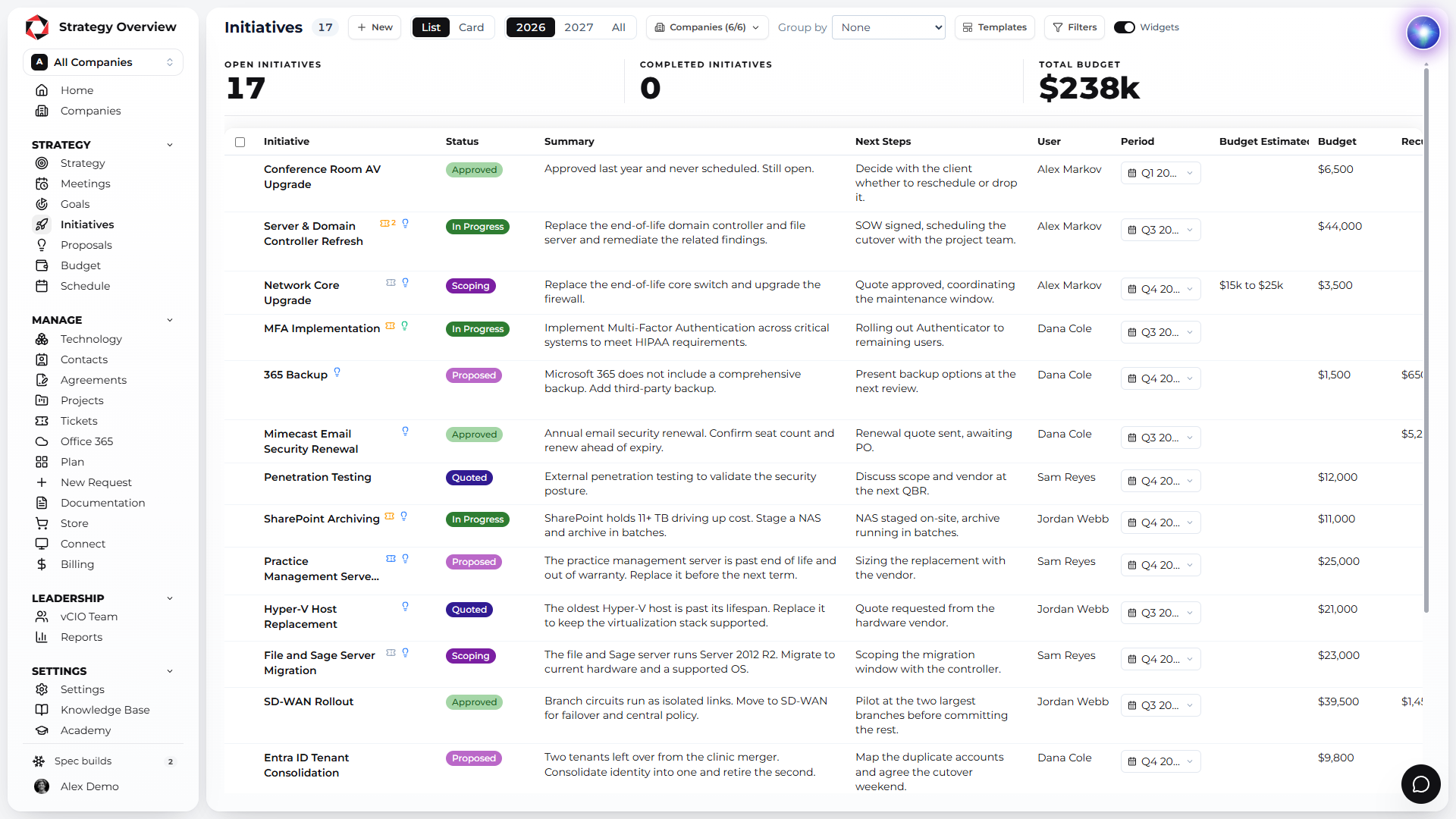
After the assessment, the red items become initiatives: a summary, next steps, an owner, a period and a budget. Every initiative links back to the findings it fixes.
Linked to the findings it resolves
Owner, period and budget on every initiative
Scoping, quoted, approved, in progress
A multi-year roadmap
Initiatives land on the roadmap by quarter, years ahead, next to asset replacements and recurring services. The client sees one timeline and signs off on it.
A budget by month, quarter and year
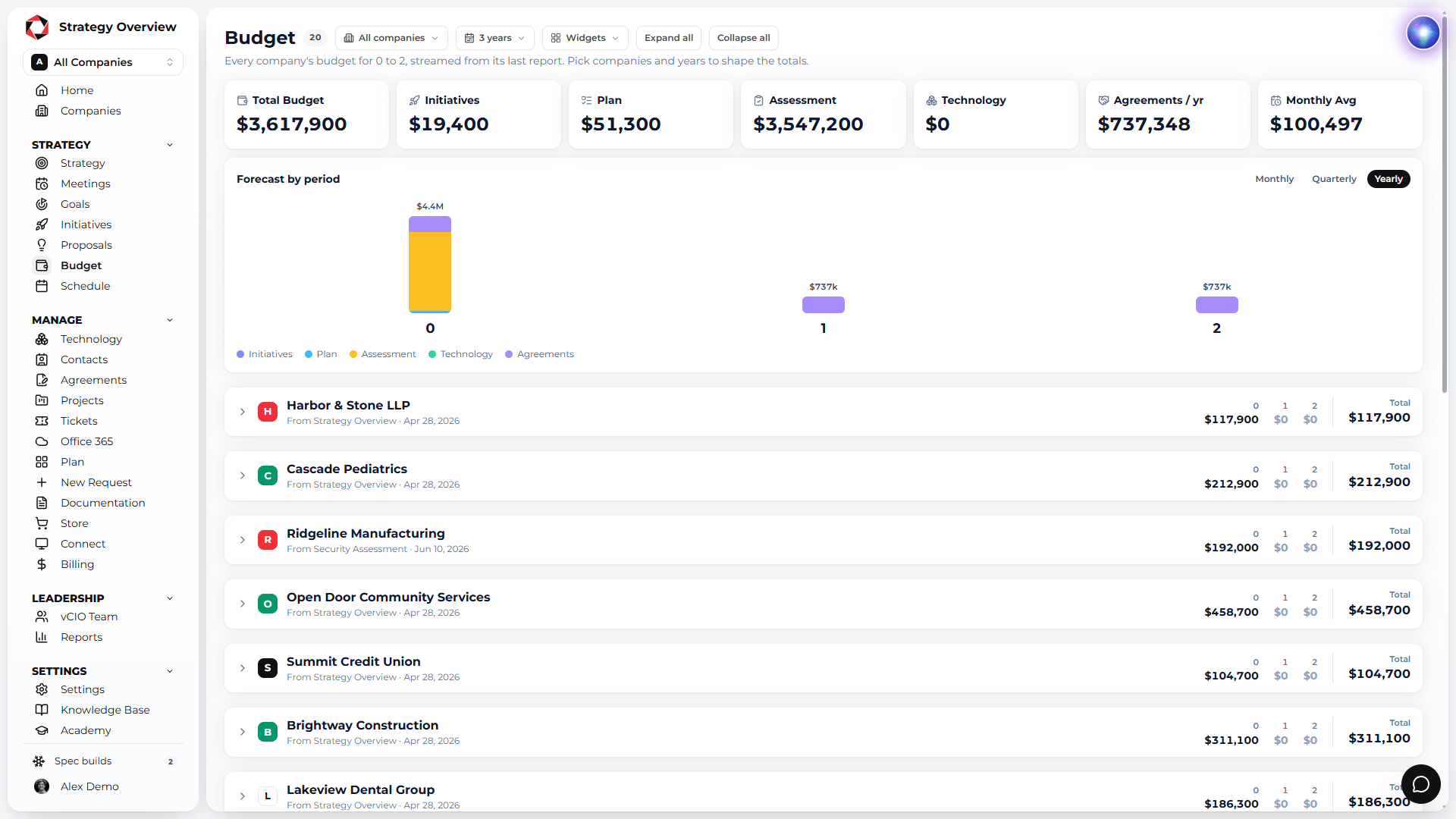
Every initiative and asset on the roadmap rolls into a budget by month, quarter and year, calculated automatically across all your clients. No spreadsheet, no re-keying.
Everything the client sees in the meeting
Executive summary
A one page summary built from a template: where we stand, what changed this quarter, top priorities. No pages of technical reports the client does not understand.
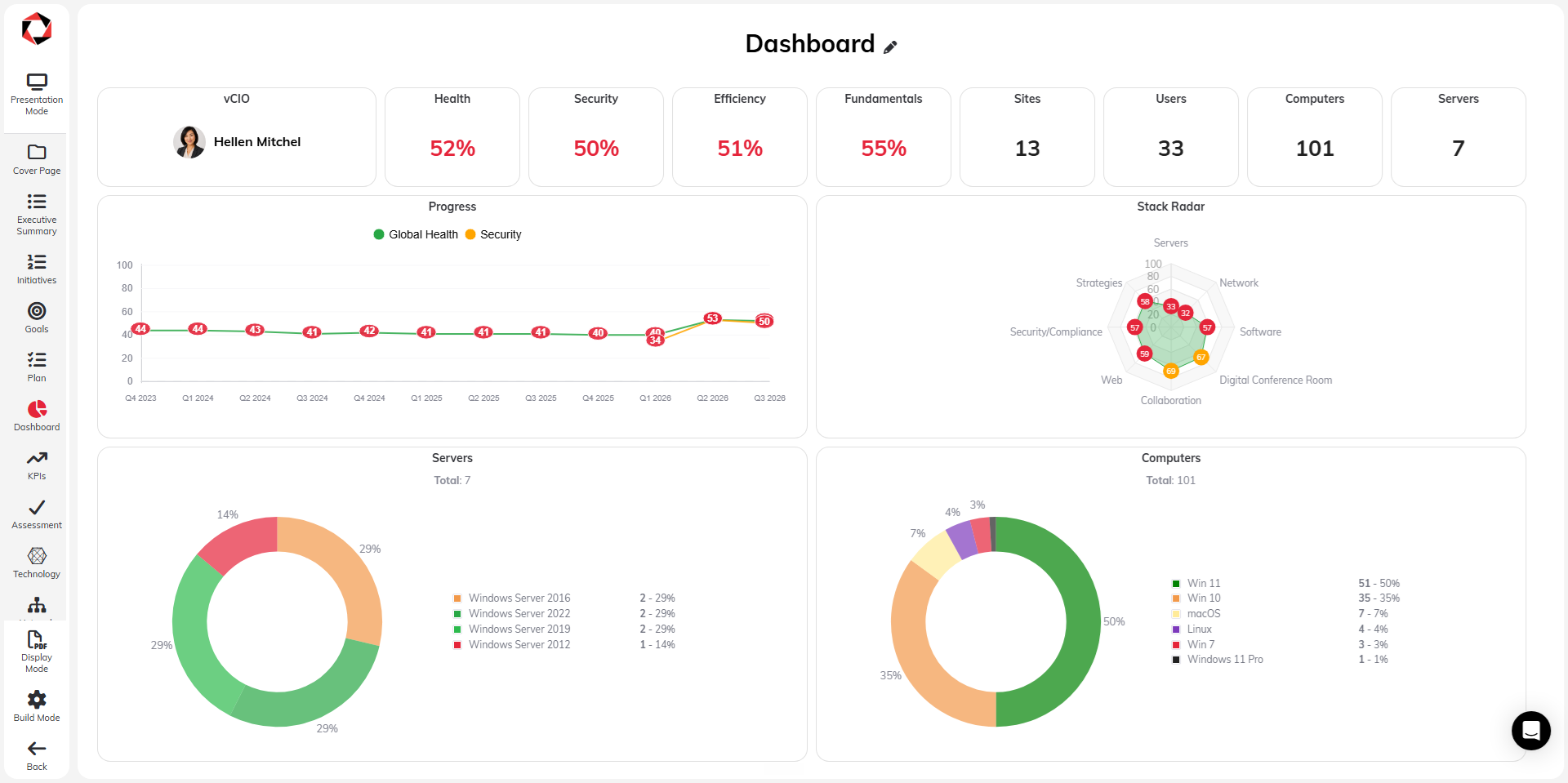
Dashboard
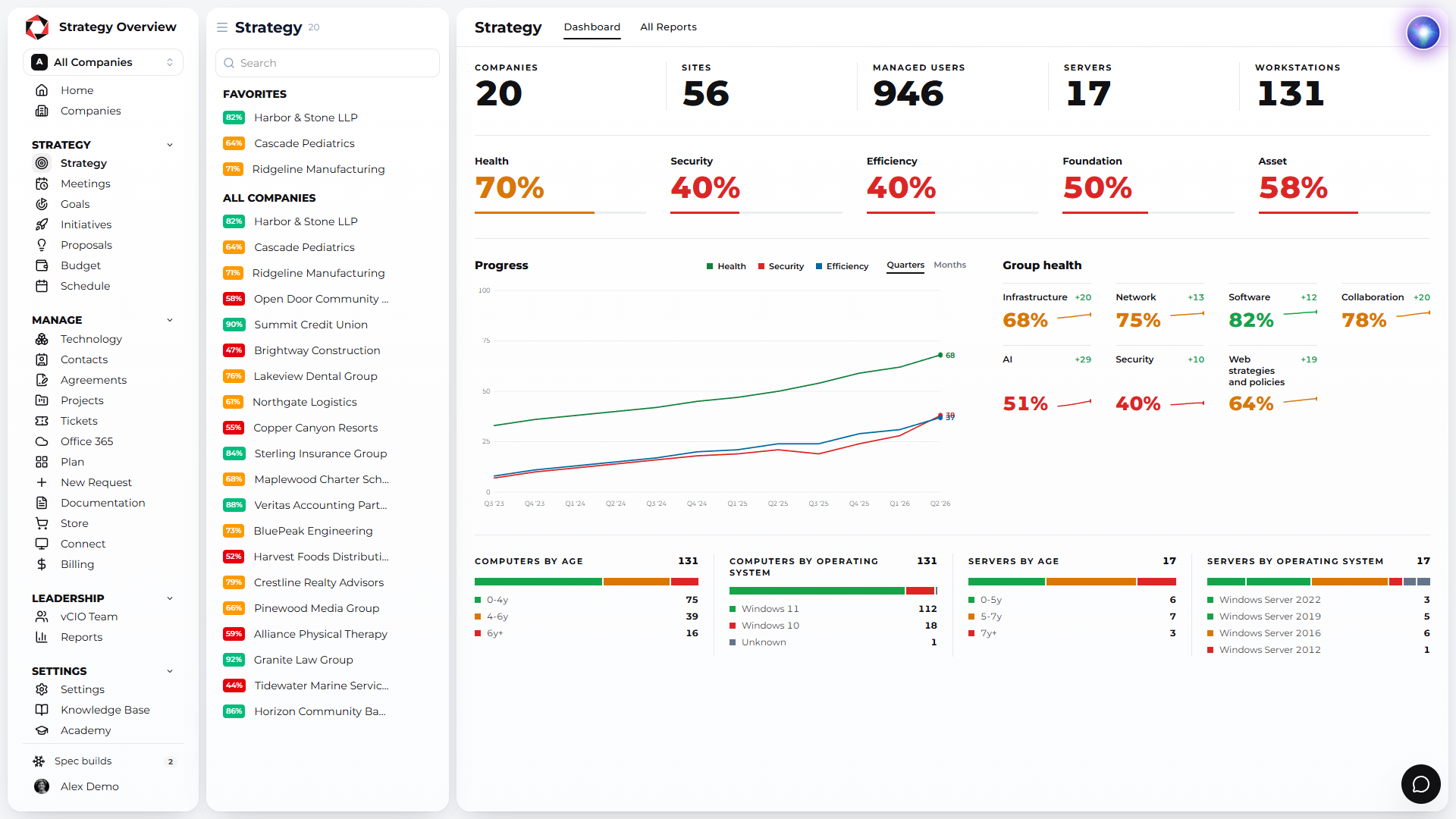
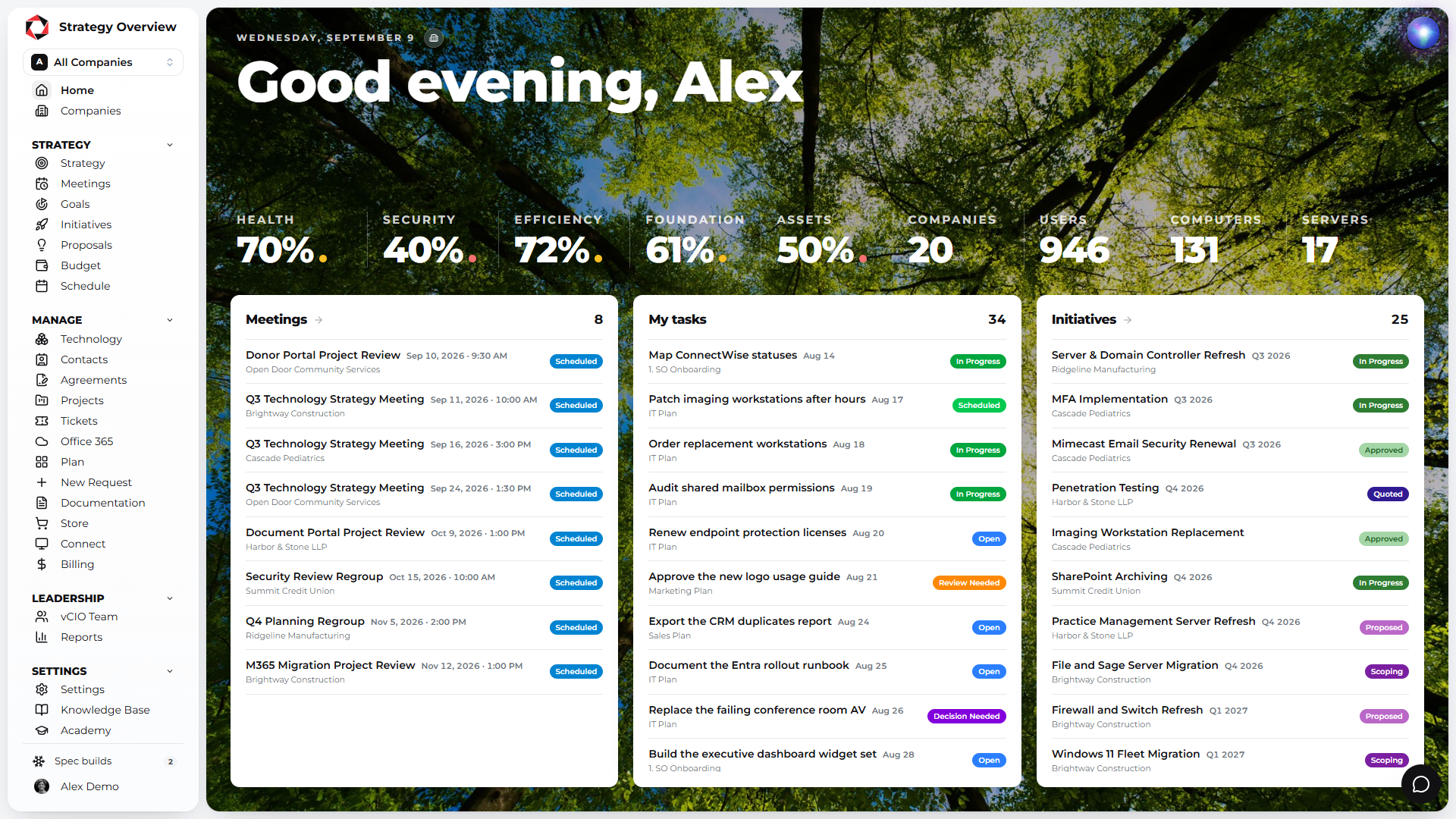
Health, security and efficiency scores, users, computers, servers, open tickets, MRR and progress over time, on one screen.
Goals
The business goals the client is working toward, with the initiatives and plan items that get them there.
Present live
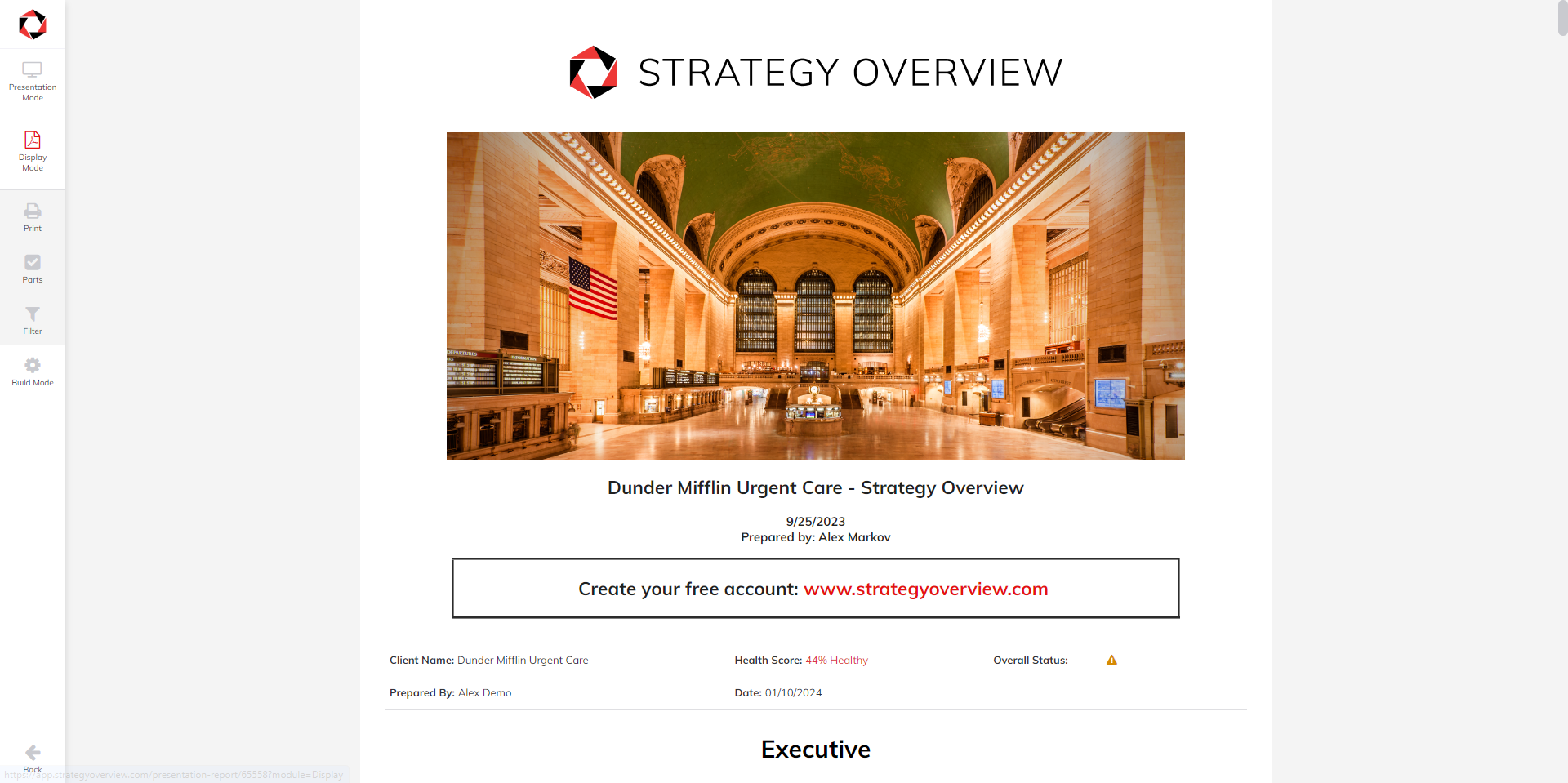
Run the Technology Strategy Meeting over Zoom or Teams in presentation mode: cover page, executive summary, goals, dashboard, assessment, initiatives and budget, one screen at a time.
Hand off a branded PDF
When the meeting ends, generate the fully branded PDF in seconds: strategy, network map, assets, contacts, roadmap and budget. The client leaves with the whole picture.
The full strategy, on demand, in your client portal
Between meetings the client opens the same strategy in a portal with your logo and your domain: scores, initiatives, budget, assets and tickets, always current.
Use our golden template or build your own
Templates are infinitely customizable with different parts, so every vCIO on your team delivers the same report. Start with the golden template and run your first assessment in 5 minutes.
Assets and warranties, updated for you
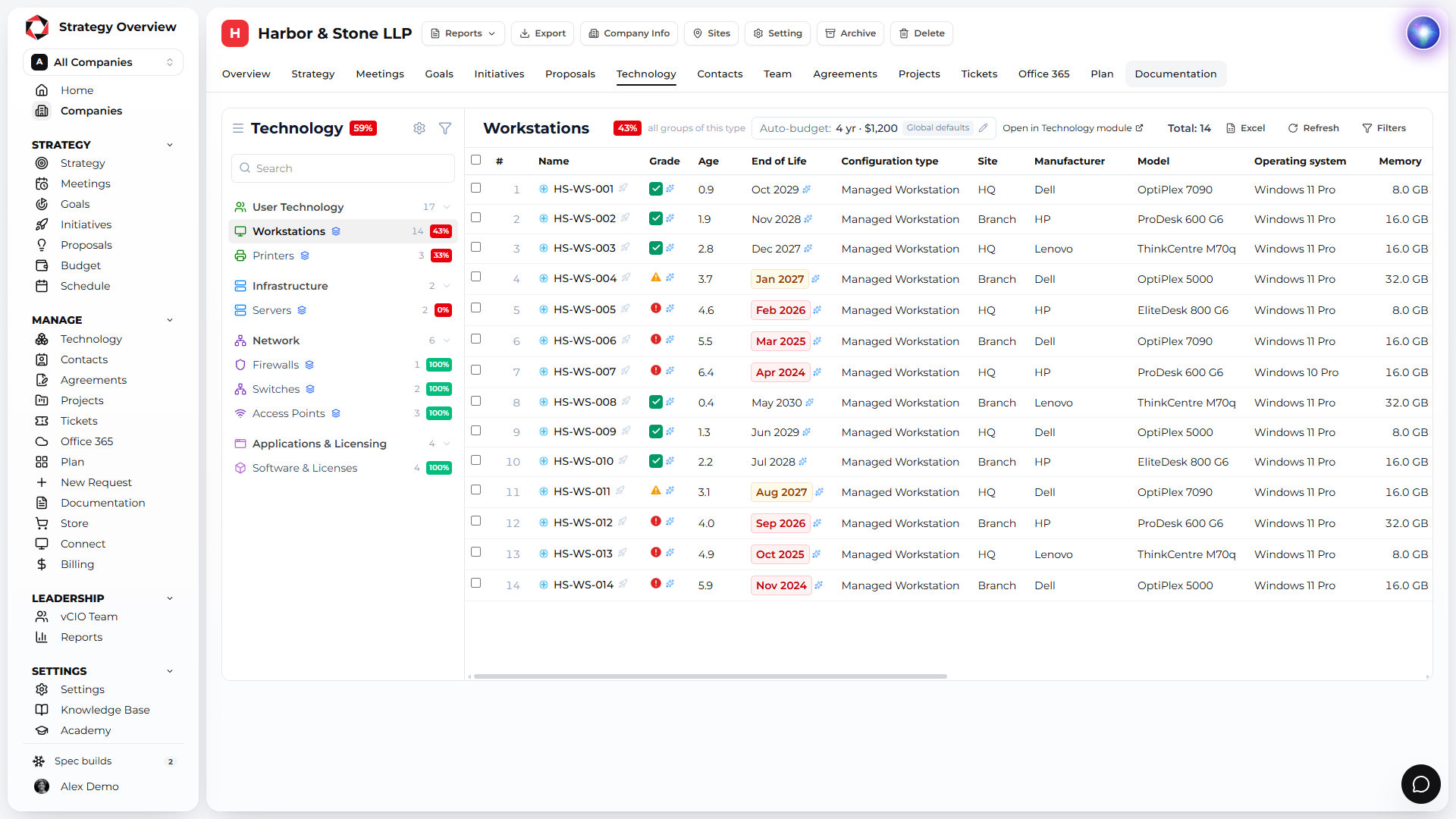
A clean list of computers and servers with grades and replacement budgets. Purchase date, warranty date and manufacturer update automatically and sync back to your PSA.
Grade and budget computer replacements in bulk
Purchase and warranty dates updated automatically
Manufacturer synced back to your PSA
Why Strategy Overview?
Reactive support is a commodity. What clients pay a premium for is a plan. Strategy Overview is the platform built to deliver that plan every quarter, for every client, from one record.
Built for the QBR, by MSP operators
Strategy Overview started inside an MSP. Assessment, initiatives, budget and report are one client record, so the QBR is assembled, not rebuilt.
Unlimited users, priced per client
Every vCIO, account manager and engineer gets a seat. You pay for the companies you manage, and the per client rate drops as you grow.
Month to month, free to start
Free for 3 companies, golden template included. No long term contract on any plan.
Arya, the world's first vCIO assistant
Ask about technology, scopes of work and QBR best practice, and let Arya help fill out the assessment. Plus an open API and an MCP server.
Connected to the stack you already run
ConnectWise, Autotask, Halo, Kaseya BMS, Syncro, ServiceNow, NinjaOne, Datto RMM, Hudu, IT Glue, Microsoft 365 and more. Nothing to re-key.
Recognized by the MSP community
IT Nation PitchIT winner, BetterTracker Category Leader and Fastest Growing.
Strategy Overview runs on Microsoft Azure in the United States and in Ireland. Pick the datacenter when you register and every client you add lives there.
United States
Microsoft Azure datacenters in the US for North American MSPs. Client data stays in country.
Low latency for US and Canadian partners
Azure security and uptime
Selected when you create your account
Ireland
Microsoft Azure datacenters in Ireland for MSPs in the UK and the EU. Data stays inside the EU.
EU data residency for European partners
Azure security and uptime
Selected when you create your account
API
&
MCP
Connect your existing AI and automations with our API and a first-class MCP server to take your IT leadership into the future.